Most small businesses do not get to choose a single mobile platform. The owner and the sales team carry iPhones, the warehouse runs cheap Android handsets, a couple of contractors bring whatever they already own, and somebody has an iPad that lives in the front office. The question is not which platform is better. It is which management product can genuinely handle both without a second console, a second contract, and a second person to run it.
That is where a lot of published MDM advice quietly breaks. Several of the most respected products in this market are Apple management tools first, and their Android story is either newer, narrower, or absent. This comparison separates those two groups explicitly, because a business with a mixed fleet that buys an Apple-first product on the strength of a review is going to discover the gap after the invoice.
Eight platforms are covered: Hexnode UEM, Scalefusion, JumpCloud, ManageEngine Mobile Device Manager Plus, IBM MaaS360, Iru (the company formerly named Kandji), Jamf, and Mosyle. Every capability and price below is taken from vendor-owned pages and was verified in September 2026.
How this comparison was built
Mobile management is a category where confident writing outruns verifiable fact very easily, so the method here is deliberately narrow and stated up front.
- Capabilities: taken only from each vendor’s own product, documentation or pricing pages. Where a vendor’s own pages do not state something, this article says so instead of assuming it.
- Pricing: taken from each vendor’s public pricing or store page. Where a vendor does not publish a price, the entry reads “Not publicly documented” or “Contact sales” rather than an estimate.
- Platform behaviour: Apple enrollment concepts come from Apple Platform Deployment and the Apple Business Manager User Guide; Android concepts come from Android Enterprise documentation; baseline security guidance comes from NIST Special Publication 800-124 Revision 2.
- What is deliberately absent: no hands-on trial, no lab score, no throughput measurement, no customer outcome, no return-on-investment figure, and no percentage improvement of any kind. AtlasProfitAI did not deploy these products, and nothing here is presented as a measurement.
Two kinds of statement appear below and they are kept apart on purpose. A documented vendor capability is something the vendor states on its own site. An Atlas editorial assessment is our reading of who a product suits, based on those documented capabilities and on what the pricing model implies. Assessments are labelled. Nothing is labelled “best” without saying best for what.
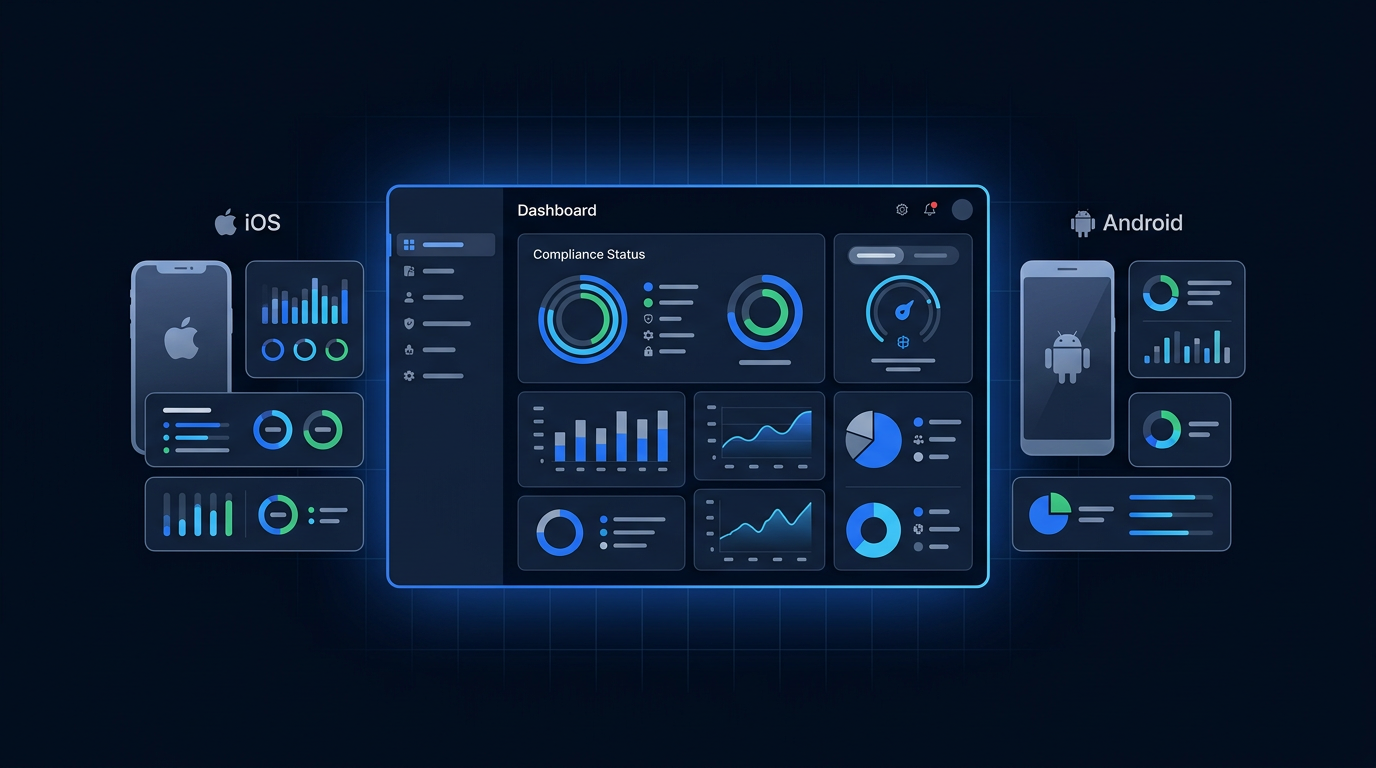
What a mixed iOS and Android fleet actually requires
Apple and Google expose management through two different frameworks, and an MDM product has to integrate with both to run a mixed fleet properly. Understanding the two frameworks is what makes the comparison table readable.
The Apple side: Apple Business Manager and automated enrollment
Apple’s deployment model runs through Apple Business Manager, the free portal where an organisation registers itself, links its device purchases and connects its MDM server. Apple documents automated device enrollment as the path where devices bought through Apple or an authorised reseller are assigned to your MDM server and enrolled during setup, with management that the user cannot remove. Apple also documents user enrollment as a separate, lighter model intended for personally owned devices, which manages work data while leaving personal data alone.
Practical consequence: on Apple hardware, the enrollment method you choose is decided partly by how the device was purchased. Devices already in employees’ hands were probably never in Apple Business Manager, so automated enrollment is not retroactively available for them.
The Android side: Android Enterprise and its management modes
Android’s equivalent framework is Android Enterprise, which defines distinct management modes. A work profile creates a separated work area on a personal device. Fully managed applies to company-owned devices where the whole device is under policy. Dedicated device mode covers single-purpose or kiosk hardware, such as a scanner in a stockroom or a tablet on a counter. Zero-touch enrollment is Android’s provisioning path for company-purchased devices, comparable in spirit to Apple’s automated enrollment.
Practical consequence: “supports Android” is not one capability. A product that supports work profiles but not dedicated devices cannot lock down your warehouse handsets, and a product built for kiosks may be heavier than you want on an employee’s personal phone. The matrix below therefore separates Android Enterprise support from kiosk and frontline support.
The distinction that matters: cross-platform products versus Apple-first products
This is the correction at the centre of this rebuild. Grouping every well-regarded management product into one ranked list implies they are interchangeable. They are not.
Group A — true mixed-fleet platforms
Hexnode UEM, Scalefusion, JumpCloud, ManageEngine Mobile Device Manager Plus and IBM MaaS360 all document management of both Apple mobile devices and Android devices, including Android Enterprise enrollment, from a single console. If your fleet is genuinely mixed, your shortlist should start in this group.
Group B — Apple-first platforms, with the Android position stated honestly
Jamf, Iru and Mosyle come from the Apple management world, and their documentation reflects that heritage in different ways.
- Jamf: Jamf’s own pricing page describes the Jamf for Mobile offering as supporting iOS, iPadOS, visionOS, watchOS, tvOS and Android. Android is therefore documented, but Jamf’s positioning, product naming and depth of published material remain centred on Apple.
- Iru (formerly Kandji): Iru’s site lists Android among its device solutions and describes installing work profiles, locking devices, deploying apps and enforcing security settings on Android. Its endpoint management page describes Apple, Windows and Android. Again, documented — and again, an Apple-rooted product.
- Mosyle: Mosyle’s own pages describe macOS, iOS, iPadOS, watchOS and tvOS only. There is no Android management claim to evaluate. Mosyle is an Apple-only choice, and this article treats it that way.
Atlas editorial assessment: if Android is a real part of your fleet rather than an exception, treat Group B as an alternative rather than a default. Buying Apple-first tooling for a mixed fleet tends to end in one of two places — a second product for Android, or Android devices left unmanaged.

Decision matrix: eight platforms on the factors that decide a mixed-fleet purchase
Factual cells reflect what each vendor publishes on its own pages, verified September 2026. Where a vendor does not publish the detail, the cell says so. The final two columns are Atlas editorial assessment, not vendor claims.
| Product | iOS / iPadOS | Android | Apple automated enrollment | Android Enterprise | BYOD | Kiosk / frontline | Identity integration | Published price | Best fit for | Main limitation |
|---|---|---|---|---|---|---|---|---|---|---|
| Hexnode UEM | Documented | Documented | Apple Business Manager listed in the entry plan | Android Enterprise and Knox zero-touch listed in the entry plan | Documented via containerisation on personal devices | Kiosk management for mobile listed in the entry plan; separate kiosk lockdown product pages | Entra ID, Active Directory and Google Workspace from the Enterprise plan; Okta single sign-on from the Ultimate plan | From $2.20 per device per month (Pro), $3.20 (Enterprise), $4.70 (Ultimate); Ultra is quote-only | Mixed fleets that want mobile management first and desktop management later | Capabilities are spread across four tiers, so directory and desktop features push you up the price list |
| Scalefusion | Documented | Documented | Apple Business Manager listed in the entry plan; Apple user enrollment from the Growth plan | Android Enterprise and Android zero-touch listed in the entry plan | BYOD device management and work-profile enrollment from the Growth plan | Kiosk mode for Android and iOS listed in the entry plan | Directory integration and its own OneIdP identity add-on, priced separately | From $2 per device per month (Essential), $3.50 (Growth), $5 (Business), $6 (Enterprise), annual billing, minimum 10 devices | Frontline, retail and field fleets where kiosk and Android provisioning are central | BYOD enrollment is not in the cheapest tier, and identity features are a separate purchase |
| JumpCloud | Documented | Documented, including work profile, fully managed and dedicated device scenarios | Documented Apple device management within the platform | Android EMM with zero-touch enrollment documented | Documented for personally owned Android devices alongside company-owned | Not publicly documented | Native — the product is a directory and single sign-on platform with device management attached | Device management $9 per user per month billed annually ($11 monthly); device and identity management $13; platform packages are contact-sales | Remote-first companies that want identity, directory and device management from one vendor | Priced per user rather than per device, so users carrying several devices change the maths |
| ManageEngine Mobile Device Manager Plus | Documented | Documented | Documented Apple enrollment support in product documentation | Documented Android enrollment support in product documentation | Documented, with containerisation to separate work and personal data | Kiosk mode documented | Directory integration documented; depth varies by edition | Cloud Standard edition from US$495 per year for one technician and 50 devices; Professional edition from US$895 per year at the same slab; higher device slabs and extra technicians priced separately | Businesses that want an annual licence rather than a per-device subscription, or an on-premises deployment | Licensing is sold in device slabs plus technician seats, which is harder to reason about than a per-device price |
| IBM MaaS360 | Documented | Documented | Apple Business Manager onboarding documented | Android zero-touch enrollment documented | Documented, including containerisation for BYOD programmes | Documented management of purpose-built devices | Identity management included from the Essentials plan upward | Fast Start from $1.50 per client device per month; Essentials from $4.24; Deluxe from $5.30; Premier from $6.63; Enterprise from $9.54, with lower discounted rates listed for purchases on ibm.com | Businesses that want a low-cost core MDM tier now with a documented path to fuller endpoint management | The feature set is split across five paid editions, so the cheapest tier is deliberately basic |
| Iru (formerly Kandji) | Documented | Documented — work profiles, remote lock and wipe, app deployment and security settings | Documented integration with Apple Business Manager for automated device enrollment | Work profile deployment documented; full Android Enterprise mode coverage is not enumerated publicly | Company-owned and BYOD scenarios addressed in vendor documentation | Not publicly documented | Sold alongside the vendor’s own workforce identity product | Quote-only — every product on the pricing page is “request a quote” | Apple-heavy companies that also want Windows and basic Android coverage from one vendor | No published pricing, and Android depth is documented far less thoroughly than Apple |
| Jamf | Documented | Listed as supported by the Jamf for Mobile offering | Documented zero-touch deployment for Apple hardware, including BYOD | Not publicly documented | Documented for Apple devices, including zero-touch provisioning of BYOD hardware | Documented for Apple hardware such as shared iPads and Apple TV | Jamf Connect is part of the Mac and mobile offerings | Contact sales for Jamf for Mac and Jamf for Mobile; Jamf Now is positioned for organisations with fewer than 25 employees | Apple-centric organisations that want the deepest Apple management and security tooling | Android is listed but not documented in Apple-equivalent depth, and no price is published |
| Mosyle | Documented | Not supported — vendor documents Apple platforms only | Documented Apple MDM protocol support with Apple Business Manager | Not applicable | Documented for Apple devices | Documented for Apple devices such as shared iPads and Apple TV | Google Workspace, Microsoft 365, Okta, Ping Identity, AD FS, LDAP and Active Directory listed | Business Premium $1.00 per Apple device per month; Fuse for macOS $3.00; Fuse for iOS, iPadOS and visionOS $1.50; minimum 30 licences, billed annually; a free tier is listed for up to 30 devices | Apple-only businesses that want the lowest published per-device price | No Android management at all, so it cannot serve a mixed fleet on its own |
Published pricing for SMB mobile device management
Pricing verified September 2026 from vendor-owned pages. Prices and packaging can change; verify before purchase.
Three different billing units appear in this market, and comparing the headline numbers without noticing which unit you are looking at is the most common costing mistake. Per-device pricing scales with hardware. Per-user pricing scales with headcount regardless of how many devices each person carries. Slab licensing charges an annual fee for a device band plus administrator seats.
| Product | Published price | Billing unit | Minimum or tier requirement | Notes |
|---|---|---|---|---|
| Hexnode UEM | $2.20 / $3.20 / $4.70 per device per month for Pro, Enterprise and Ultimate; Ultra is “request pricing” | Per device, per month | Pricing page states plans start at 15 devices | Monthly and annual options shown, with a discount stated for annual billing; a 14-day trial is offered |
| Scalefusion | $2 / $3.50 / $5 / $6 per device per month for Essential, Growth, Business and Enterprise | Per device, per month, billed annually | Pricing page states all plans are billed annually with a minimum of 10 devices | The OneIdP access add-on is listed separately at $4 (Core) and $5 (Pro) per device per month |
| JumpCloud | $9 per user per month for device management billed annually, or $11 billed monthly; $13 for device and identity management billed annually | Per user, per month | Platform Essentials is listed with a 300-user maximum; larger platform packages are contact-sales | Individual capabilities are also listed à la carte on the same page |
| ManageEngine Mobile Device Manager Plus | Cloud Standard edition US$495 per year at the 50-device slab; Professional edition US$895 per year at the same slab; larger slabs published up to 10,000 devices | Annual licence per device slab, plus technician seats | Slabs are fixed bands; additional technician packs are priced separately | The store page states pricing is flexible and invites contact for device counts that fall between slabs |
| IBM MaaS360 | Fast Start from $1.50; Essentials from $4.24; Deluxe from $5.30; Premier from $6.63; Enterprise from $9.54 per client device per month | Per client device, per month | Editions gate features; add-ons are listed separately | Lower discounted rates are published for purchases made on ibm.com, and a free trial is listed |
| Mosyle | Business Premium $1.00 per device per month; Fuse for macOS $3.00; Fuse for iOS, iPadOS and visionOS $1.50; a free tier is listed for up to 30 devices | Per Apple device, per month, billed annually | Minimum of 30 licences stated for paid products | watchOS management is included with an iPhone licence, and tvOS management is included with a paid macOS or iOS licence |
| Iru (formerly Kandji) | Not publicly documented | Not publicly documented | Not publicly documented | Every product on the pricing page routes to “request a quote” |
| Jamf | Contact sales | Contact sales | Jamf Now is positioned for organisations with fewer than 25 employees | The pricing page routes to “request a quote” and offers a 14-day trial on request |
Two things are worth saying plainly. First, a published price is not the same as your price: quote-only vendors are not necessarily more expensive, and discounts exist across this market. Second, the cheapest tier of a tiered product is rarely the tier you end up on, because the features small businesses actually ask for — BYOD enrollment, directory integration, patching, remote support — are frequently one or two tiers up. Price the tier that contains the features you listed, not the tier on the banner.
The cross-platform options in detail
Hexnode UEM
Hexnode publishes a four-tier per-device price list and puts the mixed-fleet essentials in the cheapest paid tier: Apple Business Manager, Android Enterprise, Samsung Knox zero-touch enrollment, mobile app management and mobile kiosk management. Directory integration with Entra ID, Active Directory and Google Workspace arrives at the Enterprise tier, along with basic desktop management and mobile OS update control. Okta single sign-on, scripting, Windows Autopilot and macOS FileVault management appear at the Ultimate tier. BYOD is handled through containerisation that separates corporate data from personal data on the same device.
Atlas editorial assessment: a strong candidate when phones and tablets are the priority and laptops are a secondary concern, and when you want a per-device price you can read off a page. Consider the tier boundaries carefully — directory integration is the line most small businesses will need to cross.
Scalefusion
Scalefusion’s entry-level plan is unusually complete for Android provisioning: Android Enterprise, Android zero-touch enrollment, Apple Business Manager, kiosk mode for both Android and iOS, silent app installation and website allowlisting are all listed at $2 per device per month. BYOD device management, work-profile enrollment and Apple user enrollment start at the Growth tier. Identity capability is sold as a separate OneIdP add-on with its own per-device pricing, and the pricing page states annual billing with a ten-device minimum.
Documented strength: breadth of Android provisioning and kiosk support at the entry-level plan. Atlas editorial assessment: the natural first look for a business with counter tablets, delivery handsets or shop-floor devices, where the fleet is Android-heavy and locked down rather than personal and flexible.
JumpCloud
JumpCloud approaches the problem from the identity side. It is a directory platform with device management included, and its documentation covers Windows, Linux, macOS, iOS, iPadOS and Android. Its Android EMM material describes corporate-owned, personally owned, company-owned personally-enabled, fully managed and dedicated device scenarios, plus zero-touch enrollment configuration. Pricing is per user rather than per device: device management is listed at $9 per user per month billed annually, and device management combined with identity management at $13.
Atlas editorial assessment: consider JumpCloud when sign-in and device posture are the same project — for example a remote company standardising on one identity provider and wanting laptops and phones governed by the same policies. The per-user unit is an advantage when people carry one device and a disadvantage when they carry three. If you are evaluating sign-in as its own project, our comparison of SSO solutions for small business covers that decision separately.
ManageEngine Mobile Device Manager Plus
ManageEngine sells this product both as a cloud service and as software you run yourself, which makes it one of the few realistic options for a business that cannot or will not put device management in someone else’s cloud. Licensing is by device slab plus technician seats: the published cloud Standard edition starts at US$495 per year for one technician and 50 devices, with the Professional edition at US$895 per year for the same slab, and published slabs continuing up to 10,000 devices. The product documentation covers enrollment for corporate-owned and BYOD devices, containerisation to separate work data from personal content, and kiosk mode.
Atlas editorial assessment: a strong candidate when an annual licence fits your procurement process better than a per-device subscription, or when on-premises deployment is a requirement rather than a preference. The slab model is the thing to model carefully before signing, because crossing a slab boundary is a step change rather than a small increase.
IBM MaaS360
MaaS360 publishes a five-edition price list, starting with a Fast Start tier from $1.50 per client device per month that covers mobile device management and mobile app management, and rising through Essentials, Deluxe, Premier and Enterprise as containerised mail, content management, enterprise browser and mobile threat management are added. IBM’s product pages document management of iOS, iPadOS, Android, ChromeOS and rugged devices, over-the-air enrollment, Apple Business Manager onboarding and Android zero-touch enrollment, plus BYOD containerisation.
Atlas editorial assessment: worth a look when you want a genuinely cheap core MDM tier with a documented upgrade path inside the same console, and when you are comfortable buying from a large vendor whose feature matrix is spread across several editions. Read the edition table closely — the difference between Fast Start and Essentials is substantial.
The Apple-first options, labelled honestly
Iru (formerly Kandji)
Anyone researching this category should know that kandji.io now redirects to iru.com: the company presents itself as Iru, with a unified platform spanning workforce identity, endpoint management, endpoint detection and response, vulnerability management and compliance automation. Its endpoint management page describes provisioning, policy enforcement and automated updates across Apple, Windows and Android, and it publishes a dedicated Android page covering work profiles, remote lock and wipe, app deployment and security settings. Its documentation states direct integration with Apple Business Manager for automated device enrollment, and addresses both company-owned and BYOD scenarios. Pricing is quote-only for every product on the pricing page.
Atlas editorial assessment: consider Iru when Macs and iPhones dominate, Windows is present, and Android is a handful of devices you want visible rather than deeply governed. The absence of published pricing means you cannot shortlist it on cost without a sales conversation.
Jamf
Jamf is the reference point for Apple management, and its published lineup reflects that: Jamf for Mac and Jamf for Mobile, powered by Jamf Pro, Jamf Connect and Jamf Protect, with Jamf Now positioned for organisations with fewer than 25 employees. The pricing page lists Jamf for Mobile as supporting iOS, iPadOS, visionOS, watchOS, tvOS and Android, and documents zero-touch deployment for Apple hardware including BYOD. Prices are not published; both business offerings route to a sales conversation.
Atlas editorial assessment: a strong candidate when Apple is the standard and you want depth — configuration, identity and endpoint protection from one vendor with an unusually large body of Apple-specific documentation. For a mixed fleet, do not assume Android parity; ask the vendor to demonstrate the specific Android Enterprise modes you need before you commit.
Mosyle
Mosyle is Apple-only and says so. Its published prices are the lowest in this comparison — Business Premium at $1.00 per Apple device per month, Fuse for macOS at $3.00, Fuse for iOS, iPadOS and visionOS at $1.50, all with a 30-licence minimum and annual billing, plus a free tier listed for up to 30 devices. watchOS management is included with an iPhone licence and tvOS management with a paid macOS or iOS licence. Identity integration options listed include Google Workspace, Microsoft 365, Okta, Ping Identity, AD FS, LDAP and Active Directory.
Atlas editorial assessment: the obvious candidate for an all-Apple small business on a tight budget, and a non-candidate for a mixed fleet. If you buy it and later add Android devices, you are buying a second product.

BYOD or corporate-owned: decide the enrollment model before the vendor
The enrollment decision constrains everything else, and it is worth settling before you sit through a demo. Ownership determines what you are allowed to enforce and what employees will accept.
- Corporate-owned devices can be enrolled through Apple automated device enrollment or Android zero-touch and fully managed modes, which means management the user cannot remove, full policy control and a clean wipe on offboarding.
- Personally owned devices should use Apple user enrollment or an Android work profile, which keeps management confined to work data and applications. Apple documents user enrollment as managing work data while leaving personal data alone; Android work profiles separate work applications and data on the same handset.
- Devices already in employees’ hands cannot be retroactively added to Apple Business Manager, so automated enrollment is not available for them. Plan a manual or user-enrollment path for the existing fleet and automated enrollment for future purchases.
Write the privacy position down before you enroll anyone. Say which signals the console can see, which it cannot, what happens when someone leaves, and what a remote wipe removes on a personal device. NIST’s mobile device security guidance frames this as a policy and risk exercise rather than a purely technical one, and it is much easier to have that conversation before the first enrollment than after the first complaint.
Security baselines worth enforcing from the first day
Every product in this comparison can enforce more settings than a small business needs. A short, defensible baseline that actually gets applied beats a long one that gets postponed.
- Device passcode or biometric requirement, with automatic lock.
- Storage encryption enabled and verified in the console rather than assumed.
- Operating system update policy, so devices do not drift years behind.
- Remote lock and remote wipe tested on a device you own before you need them.
- Separation of work data from personal data on personally owned devices.
- Compliance reporting that tells you which devices fail the baseline, not just which devices are enrolled.
Mobile management is one control among several. It governs the device; it does not cover the endpoints and identities around it. Our guides to endpoint security for small business and remote teams and managed detection and response services cover the layers that sit next to MDM.
Application management without breaking the fleet
Application delivery is where mixed-fleet management gets fiddly, because the two platforms distribute differently. On the Apple side, volume application purchases flow through Apple Business Manager and are assigned by the MDM. On the Android side, applications are distributed through managed Google Play into work profiles, fully managed devices or dedicated devices. A cross-platform product hides some of that difference behind one interface, but the underlying rules still apply.
Three habits keep this manageable in a business without a dedicated administrator:
- Keep a written list of the applications every role must have, and let the console assign by group rather than by individual device.
- Distinguish required applications from optional ones, so people can self-serve the optional ones without a ticket.
- Test an application update on one device in each platform group before it reaches everyone.
Identity integration: where device management meets sign-in
Identity integration is the difference between a device inventory and a control. When your MDM knows who a device belongs to and your identity provider knows whether that device is compliant, you can make access decisions rather than merely reports.
The products here differ substantially on this axis. JumpCloud is a directory platform first, so identity is native rather than integrated. Hexnode lists Entra ID, Active Directory and Google Workspace integration from its Enterprise tier and Okta single sign-on from Ultimate. Scalefusion sells identity as its own OneIdP add-on with separate per-device pricing. Mosyle lists Google Workspace, Microsoft 365, Okta, Ping Identity, AD FS, LDAP and Active Directory. If conditional access based on device posture is part of your plan, confirm the specific integration on the specific tier you intend to buy — this is exactly the sort of feature that lives one tier above the price you were quoted.

A rollout sequence that survives contact with a real business
Deployment timelines depend on fleet size, device ownership, how many devices were bought through a reseller, and how much of the week your administrator can actually give to the project. Rather than a schedule, here is the order of operations that keeps a rollout from stalling.
- Inventory first. List every device that touches company data, with platform, ownership and who holds it. The unknown devices are the reason for the project.
- Set up the platform prerequisites. Register in Apple Business Manager, link it to the MDM, and register your Android Enterprise enterprise binding. Do this before you buy licences for the whole fleet.
- Write the enrollment policy. Which devices are corporate-owned, which are personal, what each model permits, and what happens at offboarding.
- Pilot on volunteers. Include at least one iPhone, one Android phone, one tablet and one device of each ownership type. Volunteers report problems; conscripts hide them.
- Verify rather than assume. Confirm in the console that encryption is on, the baseline applied, the required applications installed, and a test remote lock worked.
- Roll out by group. Take one team at a time, in ascending order of how disruptive failure would be. The warehouse before the finance team.
- Close the loop on exceptions. Every device that cannot meet the baseline gets a documented decision — remediate, replace, or accept the risk in writing.
A pilot’s job is to expose the awkward cases, not to prove the product works. Devices already in employees’ hands, people who refuse enrollment on a personal phone, a handset too old for the current OS, and a shared tablet nobody owns are the four cases that most often derail an otherwise clean rollout. Training people alongside the technical change helps; our guide to security awareness training for small business covers that side.
Procurement questions to ask before you sign
Ask these in a demo and you will learn more than any feature list will tell you.
- Which exact Android Enterprise modes do you support — work profile, fully managed, dedicated device — and can you show each one enrolled live?
- What does enrollment look like for devices already in employees’ hands, which were never in Apple Business Manager?
- Which of the features I have listed are in the tier you have quoted, and which require an upgrade or an add-on?
- What is the billing unit — per device, per user, or a licence slab — and what happens when I cross a boundary mid-term?
- What is the minimum device or licence count, and the minimum contract term?
- How does an administrator prove to an auditor that a policy is applied, not merely assigned?
- What support is included at this tier, in which hours and time zone?
- What does offboarding remove on a personally owned device, and can I demonstrate that to an employee?
- How do I export my inventory and configuration if we leave?
- Is there a trial that lets me test my own devices before committing?
Which MDM should a small business shortlist?
These are Atlas editorial assessments based on the documented capabilities above, framed by situation rather than by an overall winner. No product in this market is best for everyone, and the vendors themselves do not claim to be.
- Mixed iOS and Android fleet, no strong platform bias: start with Hexnode UEM and Scalefusion. Both document Apple Business Manager and Android Enterprise enrollment in their entry-level plans and both publish per-device pricing you can model before a sales call.
- Apple-heavy company with a few Android devices: Jamf or Iru are strong candidates for the Apple estate, but confirm the Android modes you need in a demo. If Android is more than a handful of devices, a Group A product is the safer buy.
- All-Apple company on a tight budget: Mosyle publishes the lowest per-device prices here and documents a free tier for up to 30 devices. Accept that adding Android later means adding a product.
- Android-heavy, frontline or kiosk environment: Scalefusion, whose entry-level plan includes Android zero-touch, Android Enterprise and kiosk mode for both platforms, with dedicated kiosk product documentation.
- Identity-first remote company: JumpCloud, because device management and directory sit in one platform and its Android EMM documentation covers company-owned and personally owned scenarios. Model the per-user price against how many devices each person carries.
- Business that needs on-premises management: ManageEngine Mobile Device Manager Plus, which is published for both cloud and on-premises deployment with an annual licence model.
- Business with no dedicated IT or security staff: favour whichever shortlisted product gets your baseline applied with the fewest moving parts, and buy the tier that includes the support hours you can actually reach. IBM MaaS360’s Fast Start tier and Mosyle’s free tier are both documented low-commitment starting points, in their respective fleet shapes.
Limitations of this comparison
- It is documentation-based. Capabilities were read from vendor-owned pages, not exercised in a deployment.
- Quote-only vendors cannot be compared on price. Iru and Jamf publish no prices, so their cost position here is unknown rather than high.
- Vendor pages change. Pricing, tier contents and platform support were verified in September 2026 and may have moved since.
- Depth of Android support varies within the “documented” label. A vendor stating Android support is not proof of parity with its Apple support, which is precisely why Group A and Group B are separated above.
- This article does not cover Windows or Linux endpoint management, ChromeOS fleets, or mobile threat defence products in their own right.
Common questions
What is the difference between MDM and UEM?
Mobile device management governs phones and tablets. Unified endpoint management extends the same console to laptops and desktops, and often to purpose-built or rugged devices. Several vendors here sell both under one subscription, with desktop capabilities placed in higher tiers — Hexnode’s tier list is an explicit example.
Do we need Apple Business Manager if we already have an MDM?
For automated device enrollment on Apple hardware, yes. Apple documents Apple Business Manager as the portal where an organisation links its device purchases and its MDM server, which is what allows a device to enroll during setup with management the user cannot remove.
Can one product manage personal phones without seeing personal data?
That is the purpose of Apple user enrollment and the Android work profile: management is scoped to work applications and data. Confirm with your chosen vendor exactly which signals its console collects on a personally owned device, and put the answer in your written policy.
Is the cheapest tier ever enough?
Sometimes. Scalefusion’s entry-level plan includes Android Enterprise, Android zero-touch, Apple Business Manager and kiosk mode, which is a real baseline for a locked-down Android fleet. But BYOD enrollment and directory integration frequently sit a tier higher across this market, so price the tier that contains your requirements.
Related Atlas guides
- Best SSO Solutions for Small Business: 6 Options Compared
- Best Endpoint Security for Small Business and Remote Teams: 6 Options Compared
- Best MDR Services for Small Business with 24/7 Monitoring
- Best Security Awareness Training for Small Business: 6 Platforms Compared
Sources
All sources are vendor-owned or standards-body pages, verified September 2026.
- Hexnode UEM pricing plans
- Hexnode kiosk lockdown management
- Hexnode bring your own device management
- Scalefusion pricing plans
- Scalefusion Android device management
- Scalefusion help centre documentation
- JumpCloud pricing
- JumpCloud mobile device management
- JumpCloud Android enterprise mobility management
- JumpCloud: Get started with Android EMM
- ManageEngine Mobile Device Manager Plus store and pricing
- ManageEngine Mobile Device Manager Plus features
- IBM MaaS360 pricing and editions
- IBM MaaS360 mobile device management
- Iru (formerly Kandji) pricing
- Iru Android management
- Iru iPhone and iPad management
- Jamf business pricing
- Jamf Pro product documentation
- Jamf Now product page
- Mosyle Apple device management and pricing
- Apple Platform Deployment guide
- Apple Business Manager User Guide
- Apple: Intro to automated device enrollment
- Android Enterprise device management modes
- Android Enterprise developer overview
- Android Enterprise requirements
- NIST SP 800-124 Rev. 2, Guidelines for Managing the Security of Mobile Devices