Short answer: pick one repetitive workflow, write it down as it actually runs today, build the boring deterministic parts first, add an AI step only where a human currently has to read something and make a judgement, put an approval gate in front of anything you cannot undo, then run it in shadow mode for a week before it touches a customer. Most small-business automation fails not because the model is weak but because nobody decided what happens when a step is wrong.
This guide combines official product documentation, published pricing and established workflow-design principles into a practical implementation framework for small businesses. It is not a ranking of automation products, and it does not promise a percentage saving — the numbers in your business depend on your volumes and wage costs, which no article can know.
Who this guide is for
It is written for the operator in a 5–100 person company who owns a process, has no automation engineer, and has already noticed that the same handful of tasks eats several hours every week. You need enough structure to make one good decision, and enough caution to stop a bad automation before it quietly sends a hundred wrong emails.
Three labels are used throughout so you always know what kind of statement you are reading. Documented product capability means a vendor states it in its own documentation or pricing page, cited at the end. Atlas editorial recommendation means it is our judgement, not a vendor claim or a research finding. Illustrative example means the figures or workflows are written to show a method, not drawn from a real deployment.
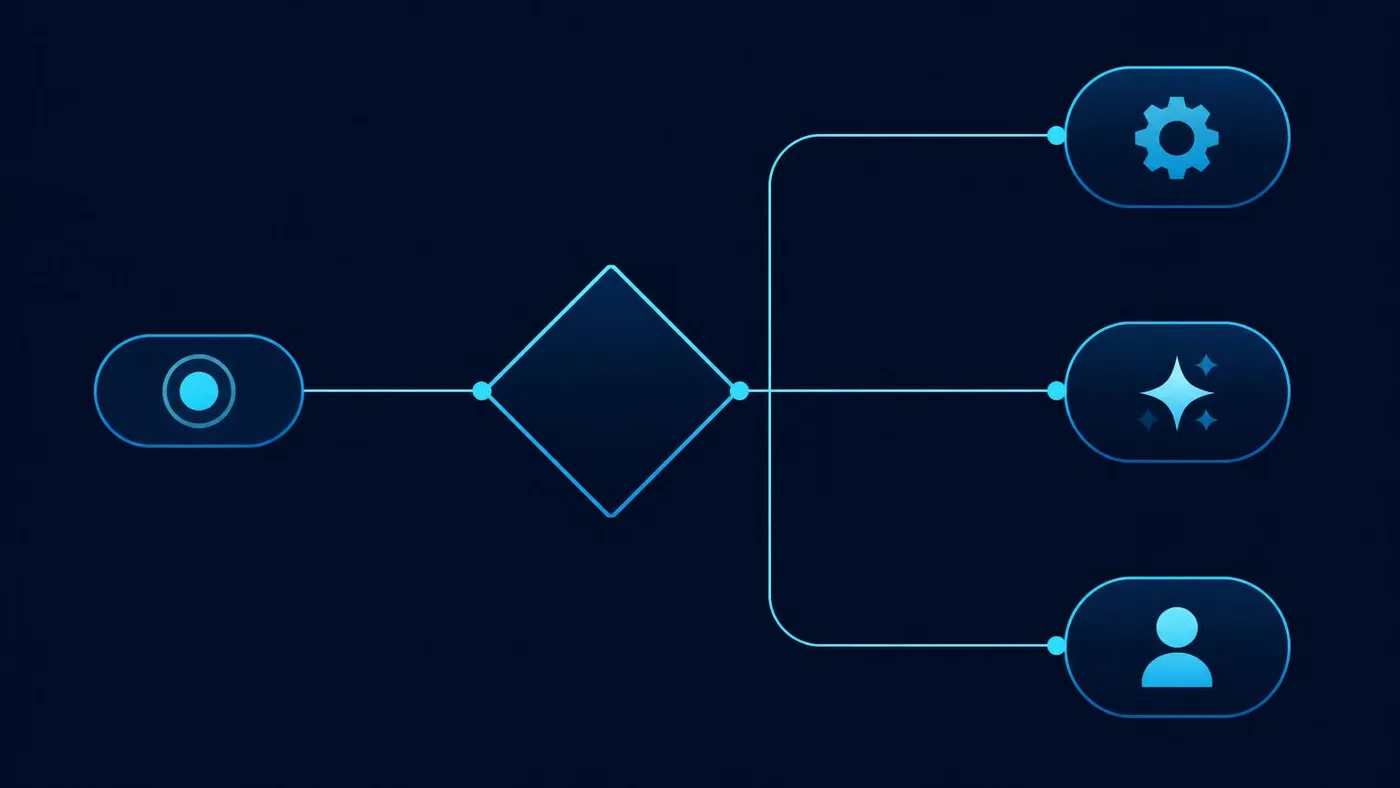
The Atlas Automation Fit Test
Before choosing a platform, decide whether the workflow deserves automation at all. This is an Atlas editorial decision framework — six questions, answered honestly, with no score and no claim of independent validation. Answer each one yes, partly or no.
- Is the task repeated often enough? A task that runs twice a month rarely repays the build and the ongoing maintenance.
- Are the inputs reasonably consistent? A web form is consistent. A mixture of phone calls, forwarded threads and handwritten notes is not, yet.
- Is the desired output clearly defined? If two people on your team would produce materially different “correct” results, the specification is not ready.
- Can an error be detected before it causes harm? You need a way to notice a wrong classification or a bad draft while it is still cheap.
- Can a human approval step be inserted where it matters? If the workflow cannot pause for a person on the risky step, treat the whole thing as risky.
- Is the cost of automation plausibly below the ongoing manual burden? Include subscription, model usage and the admin time to keep it alive.
Reading the outcome
GREEN — strong automation candidate. Broadly yes on all six. The work is frequent, the inputs arrive in a predictable shape, “correct” is agreed, and mistakes are visible and reversible. Build it end to end, keep an approval gate only where an action leaves your company.
YELLOW — automate partially, with human approval. Typically yes on repetition and inputs, but weak on defined output or error detection. Automate the mechanical half — collection, normalisation, routing, drafting — and require a person to release the outcome. Most first automations in a small business belong here, and that is a good place to be.
RED — keep it human-led. Any of these is enough: the task is rare, the inputs are unstructured conversation, nobody agrees what a correct result looks like, or an error is irreversible and expensive. Automating a process you have not yet standardised industrialises the confusion. Standardise it manually first, then re-run this test.
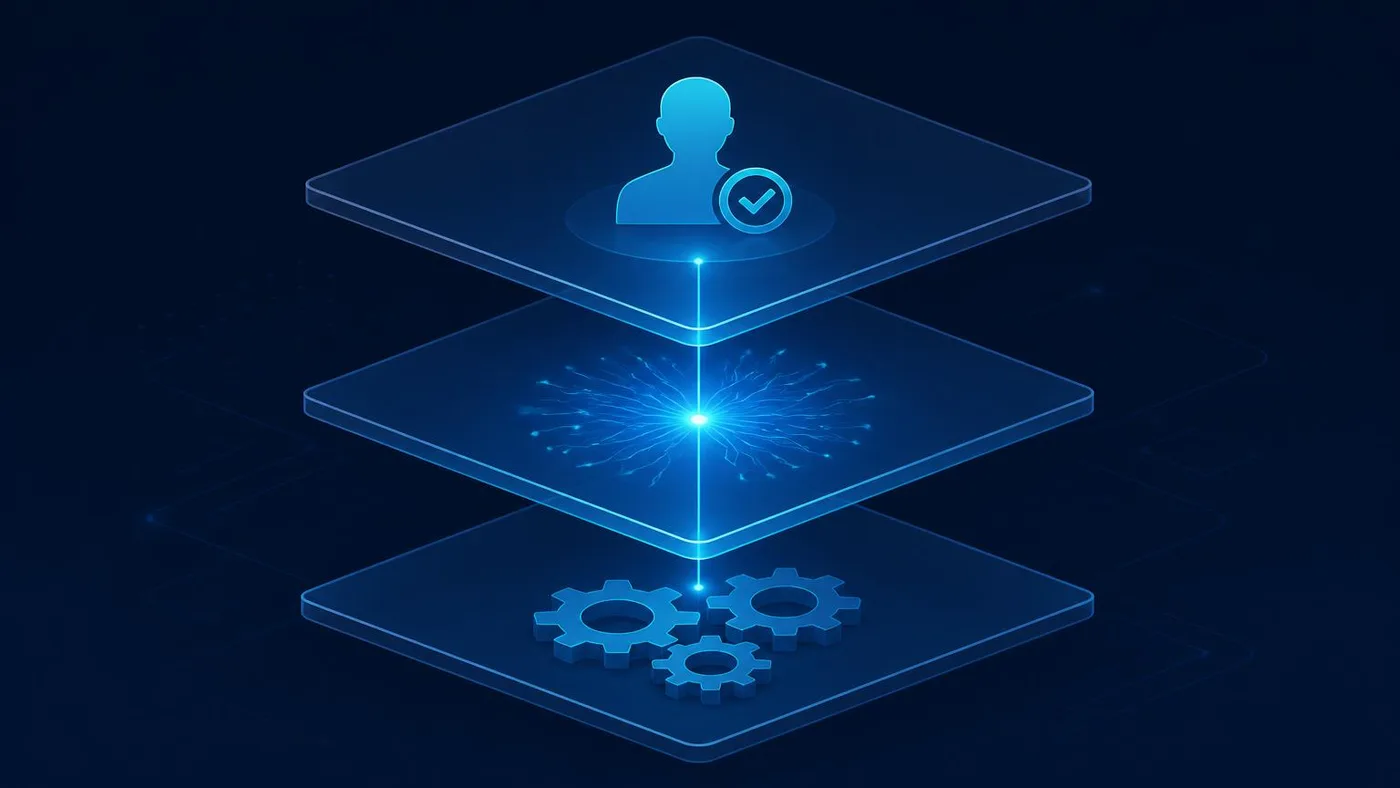
The three layers: deterministic automation, AI, and human approval
Nearly every workflow that survives contact with a real business is a stack of three different kinds of step. Confusing them is the single most common design error.
A. Deterministic automation
Rules that produce the same result every time: a form submission triggering a run, moving data between two systems, mapping fields, applying threshold rules such as “budget above 20,000 goes to the owner”, sending a notification, creating a record, routing by category. These steps are cheap, testable and auditable. If a step can be expressed as a rule, express it as a rule — do not pay a model to do arithmetic.
B. AI or model-based work
Judgement on unstructured material: classifying an inbound message, summarising a long thread or transcript, extracting an account number or a delivery date from prose, detecting intent or urgency, drafting a reply for review. These steps are probabilistic. They earn their place where a human currently has to read something before the rules can apply, and nowhere else.
C. Human approval
A person releases the action. Publishing anything externally, sending sensitive customer communication, deleting or merging records, committing money, changing access or permissions. Approvals are a first-class feature of mainstream platforms rather than something you have to invent: Microsoft documents approvals as a built-in Power Automate action, and every serious platform lets a run stop and wait.
Strong small-business automation combines all three because each layer covers a different failure. Deterministic steps give you repeatability but cannot read prose. Models read prose but are sometimes confidently wrong. Human approval catches the expensive residue but does not scale, so you spend it only where reversal is hard. Asking a model to own the whole workflow removes the two cheap safety layers and keeps the expensive one.
The Atlas Workflow Design Canvas
Fill this in on one page before you open a builder. It takes about twenty minutes with the person who does the work today, and it is the section of this guide most likely to save you money — half of the workflows that go through it never get built, for good reasons that surface while writing the fallback and the cost lines.
| Canvas field | What to write, and why it matters |
|---|---|
| Workflow name | Plain language, e.g. “inbound website lead to CRM”. If you cannot name it in a phrase, it is more than one workflow. |
| Business owner | One named person accountable for the output. Not “operations”. |
| Trigger | The event that starts a run: form submission, new email in a shared mailbox, meeting ended, scheduled time. |
| Input | Exactly what arrives, including the messy variants you would rather ignore. |
| Current manual steps | Every step as performed today, in order, with the exceptions people handle by instinct. |
| Deterministic steps | Which of those steps are pure rules and will be automated as rules. |
| AI or model step | The one or two places unstructured judgement is genuinely required, and what the model must output. |
| Human approval gate | Where a run pauses, who approves, and how long they have before it escalates. |
| System of record | The single system that holds the truth afterwards — CRM, help desk, finance tool. |
| Output | The concrete artefact: a record, a task, a routed ticket, a sent reply. |
| Failure condition | What “this run went wrong” looks like in observable terms. |
| Fallback action | What happens on failure: park in an error queue, notify the owner, revert to the manual path. |
| Sensitive data involved | Personal data, payment details, contract terms — and which systems it crosses. |
| Expected run volume | Runs per month, plus the peak day. Metering is per run on every platform below. |
| Cost per run and monthly estimate | Platform allowance consumed plus model tokens, from the cost model further down. |
| Success metric | One number you will actually check in 30 days, e.g. minutes to first response. |
| Kill switch and rollback | How the workflow is turned off in under a minute, and how completed side-effects are undone. |
Atlas editorial recommendation: if the failure condition, fallback and kill-switch rows are blank, the canvas is not finished. Those three rows are what separate an automation you can run in front of customers from one you will be switching off in a hurry.
Three illustrative workflow blueprints
These are illustrative workflow blueprints: designs written to demonstrate the method. They are not deployments Atlas has run, and no customer results are implied.
Blueprint A — inbound lead triage
- Trigger: website form submission, or a new message in a shared sales mailbox.
- Inputs: name, company, email, free-text enquiry, source page. The free text is the only unstructured part.
- Deterministic steps: normalise the email and phone format, deduplicate against existing CRM contacts, look up the company domain, apply qualification rules (service area, budget threshold, existing customer), create or update the CRM record, create the follow-up task.
- AI step: read the free-text enquiry and return two fields only — an intent label from a fixed list (quote request, support, partnership, recruitment, spam) and a one-line summary. A constrained label set is what makes the output checkable.
- Human approval point: any lead the model labels ambiguous, plus every lead above your high-value threshold, waits for a named person before an outbound reply is sent.
- Output: a CRM record with intent, summary and owner, and a dated follow-up task.
- Likely failure modes: spam classified as a quote request; duplicate records when someone submits twice; a genuine enquiry mislabelled as recruitment and never followed up; the CRM connection expiring silently.
- Rollback and fallback: on any failure the raw submission lands in an error queue and the owner is notified, so the manual path still works. Records created by the workflow carry a tag, so a bad batch can be found and reverted.
- What to measure: minutes from submission to first human contact, share of leads needing label correction, and leads that reached nobody.
Blueprint B — support inbox triage
- Trigger: new message in the shared support mailbox.
- Deterministic steps: match the sender to an account, pull recent order or ticket history, create the ticket, route by category and urgency, apply the response-time target, log everything to the help desk.
- AI step: extract the account reference and any dates or order numbers from the message, classify issue type and urgency against your fixed category list, and draft a reply grounded in the retrieved history.
- Human approval: required for anything touching billing, cancellation, refunds, contractual promises, security or account access, and for any message the classifier marks low-confidence.
- Output: a routed ticket with context attached and either a sent reply or a draft awaiting approval.
- Never auto-send without controls: refunds, credits or discounts; anything that states a legal or contractual position; password, access or permission changes; apologies that admit fault; deadline or delivery promises; messages to a contact who has already escalated or complained. Route those to a person even when the draft looks perfect.
- Failure modes and fallback: wrong account matched, so the draft quotes someone else’s order — which is why the account match is deterministic, not inferred. On low confidence or a failed lookup the ticket is created unrouted and flagged, never silently answered.
- What to measure: first-response time, share of drafts sent unedited, misroute rate, and reopened tickets.
Blueprint C — meeting to task and CRM follow-up
- Trigger: a meeting ends and a transcript or notes file becomes available. The capture tool is a separate decision; our comparison of the AI meeting assistant options for Microsoft Teams covers licence requirements and whether a bot joins the call.
- AI step: summarise the meeting, then extract decisions and action items as structured items with a proposed owner and due date.
- Deterministic steps: map proposed owners to real user accounts, reject any item without an owner or a date, attach the summary to the correct CRM record, create tasks, schedule the reminder.
- Human verification: the meeting owner reviews the extracted items once before tasks are created. This is the cheapest gate in the whole guide and it removes most of the risk, because a transcript can attribute a commitment to the wrong person.
- Output: a CRM note, dated tasks with real owners, and a follow-up reminder.
- Failure modes and fallback: hallucinated action items, decisions attributed to the wrong speaker, duplicate tasks when a meeting is processed twice — prevented by keying tasks to the meeting identifier so a repeat run updates rather than duplicates. If mapping fails, the summary is filed and the owner is asked to create tasks manually.
- What to measure: share of extracted items accepted without edits, follow-ups completed on time, duplicate tasks created.
How to choose the layer and the tools
There is no universal winner here, and the choice matters less than the design. What actually differs between platforms is how usage is metered, how much administration they assume you can do, and how well they sit inside software you already pay for. The prices below were read from official pricing pages in September 2026 and change often.
| Platform | Published price (Sept 2026) | How usage is metered | Where it tends to fit |
|---|---|---|---|
| Zapier | Free plan at $0 with 100 tasks per month; Professional from $19.99 per month; Team from $69 per month | Per task, meaning each action step a run performs. Zapier documents that AI steps are priced by model tier and consume more tasks per run, and that Agents usage is metered by agent activities. | Teams with no technical owner connecting mainstream SaaS quickly. |
| Microsoft Power Automate | Power Automate Premium at $15.00 per user per month paid yearly; hosted and unattended process licences at $150.00 and $215.00 per bot per month paid yearly | Per user for cloud flows, or per process where a licence is allocated to a flow or machine rather than a person. | Companies already standardised on Microsoft 365, especially where approvals and tenant identity matter. |
| n8n | Cloud Starter, Pro and Enterprise tiers with monthly execution allowances (for example 2,300 and up to 13,700 executions per month); Community edition available self-hosted | Per workflow execution — one run of a workflow, regardless of how many steps it contains. | Businesses with someone technical, complex multi-step flows, or a need to self-host. |
| Make | Not quoted here: Make’s pricing pages were not readable to us at the time of writing, so we do not restate a figure from a secondary source. Check make.com directly. | Per operation, in the same broad family as Zapier’s task metering. | Visual multi-branch scenario building; verify current pricing yourself. |
| Model provider (example: OpenAI API) | Published per-million-token rates, for example gpt-4o at $2.50 input and $10.00 output per million tokens, and gpt-4.1 at $2.00 and $8.00 | Per token in and out, billed separately from the automation platform. A batch option is documented for large non-urgent jobs. | The AI step inside a workflow, wherever the platform’s own AI actions are more expensive than calling a model directly. |
Atlas editorial recommendation: choose on metering and ownership, not on feature lists. Per-task and per-operation pricing punishes chatty workflows with many small steps; per-execution pricing punishes running a workflow too often. Count the steps and the runs on your canvas before you sign anything, and if your team is already inside Microsoft 365 with tenant-managed identity — the same logic behind our guide to SSO solutions for small business — staying in that estate usually costs less administration than adding a new platform.
A simple automation cost model
Two sums, both deliberately crude. The point is to expose the shape of the cost, not to produce a business case with false precision.
Monthly automation cost = platform subscription + model or API usage + any connected software you had to upgrade + maintenance and admin time. That last term is the one people forget, and on a small team it is often the largest.
Monthly manual burden = runs per month × average minutes per run × your internal labour cost per minute. Use the real average, including the awkward exceptions, not the time a clean case takes.
Illustrative example. A workflow that runs 200 times a month and takes 6 minutes by hand is 20 hours of work. At an internal cost of $30 an hour that is $600 of manual burden. Against that, a mid-range automation subscription, a few dollars of model tokens at published per-token rates, and two hours a month of someone maintaining it might total somewhere between $80 and $250. These figures are invented to show the arithmetic — substitute your own volumes, wage costs and current vendor prices.
Two honest caveats. Automation rarely removes the whole manual burden, because exceptions still route to a person and someone now maintains the workflow. And a smaller gap than you expected is useful information: it tells you to fix the process before you buy anything. We make no guarantee of savings or return, and any article that does is guessing about your business.
Three small-business scenarios
Illustrative scenarios, written to show the framework applied end to end.
Scenario A — 10-person service business, about 50 inbound leads a month, no automation engineer
Opportunity: leads arrive through a form and a shared mailbox, and follow-up depends on whoever notices first. Fit test: repetition is moderate, inputs are semi-structured, output is clear, errors are visible and reversible — YELLOW, because at 50 runs a month the payback is thin and the free text needs judgement. AI step: intent label and one-line summary. Deterministic: deduplication, CRM record, follow-up task. Approval: every outbound reply, because the volume is low enough that a person can read them all. Failure risk: a real enquiry mislabelled and forgotten. Recommendation: automate capture, enrichment and task creation and leave the replies human. Do not buy a per-user platform for this; a low tier with a task allowance is enough.
Scenario B — 30-person company, shared support inbox, high volume of repetitive routing
Opportunity: routing, not answering. Fit test: high repetition, consistent inputs, well-defined output categories, errors detectable through misroute and reopen rates — GREEN for routing, YELLOW for replies. AI step: classification, extraction and a draft. Deterministic: account match from a system of record, ticket creation, urgency rules, escalation timers. Approval: mandatory for billing, cancellations, refunds, access changes and anything from an already-escalated contact. Failure risk: a confident reply against the wrong account. Recommendation: ship routing first and measure the misroute rate for a fortnight before letting any draft go out unattended, and even then keep the sensitive categories gated permanently.
Scenario C — 75-person B2B company, Microsoft 365 plus a CRM, many meetings
Opportunity: decisions made in meetings never becoming tasks. Fit test: high repetition, unstructured input, output definable as owner-plus-date items, errors caught at review — YELLOW, verification required. AI step: summary plus structured extraction of decisions and action items. Deterministic: owner mapping to real accounts, rejection of undated items, CRM attachment, reminders. Approval: the meeting owner confirms the extracted items once. Failure risk: fabricated or misattributed commitments. Recommendation: stay inside the Microsoft estate where identity, retention and approvals are already administered, keep the verification step permanently, and key tasks to the meeting identifier so reprocessing cannot duplicate work.
The Atlas 14-Day Automation Pilot
An Atlas editorial framework for getting from idea to an evidence-based decision in two weeks, on one workflow only.
- Days 1–2 — map what actually happens. Sit with the person who does the work. Write every step and every exception, and complete the canvas. Choose ONE workflow and write down why the others can wait.
- Days 3–4 — build the deterministic skeleton. Trigger, field mapping, record creation, routing, notification. No AI yet. If the skeleton alone already helps, you have learned something valuable and cheap.
- Days 5–6 — add the AI step, once. Only where unstructured judgement is genuinely needed, with a constrained output such as a fixed label set or named fields, so the result can be checked mechanically.
- Day 7 — insert approval and failure handling. The gate before irreversible actions, the error queue, the notification to the owner, and the manual fallback path.
- Days 8–10 — run in shadow mode. The workflow runs on real inputs but takes no external action. Compare its output against what the manual process produced for the same items, every day.
- Days 11–12 — attack it. Feed it the exceptions: empty fields, duplicates, a forwarded thread, a message in another language, an oversized attachment, an expired connection. Confirm each failure lands somewhere a human will look.
- Day 13 — cost it for real. Read the actual runs, tasks or executions consumed and the actual token spend, then add the admin time the fortnight really took.
- Day 14 — decide: DEPLOY, REVISE or ABANDON. Deploy behind the approval gate, revise the specification if shadow mode disagreed with humans too often, or abandon.
Abandoning a bad automation on day 14 is a successful pilot. You spent two weeks and a small subscription to avoid a system that would have produced wrong output at speed, and you now understand your own process better than when you started.
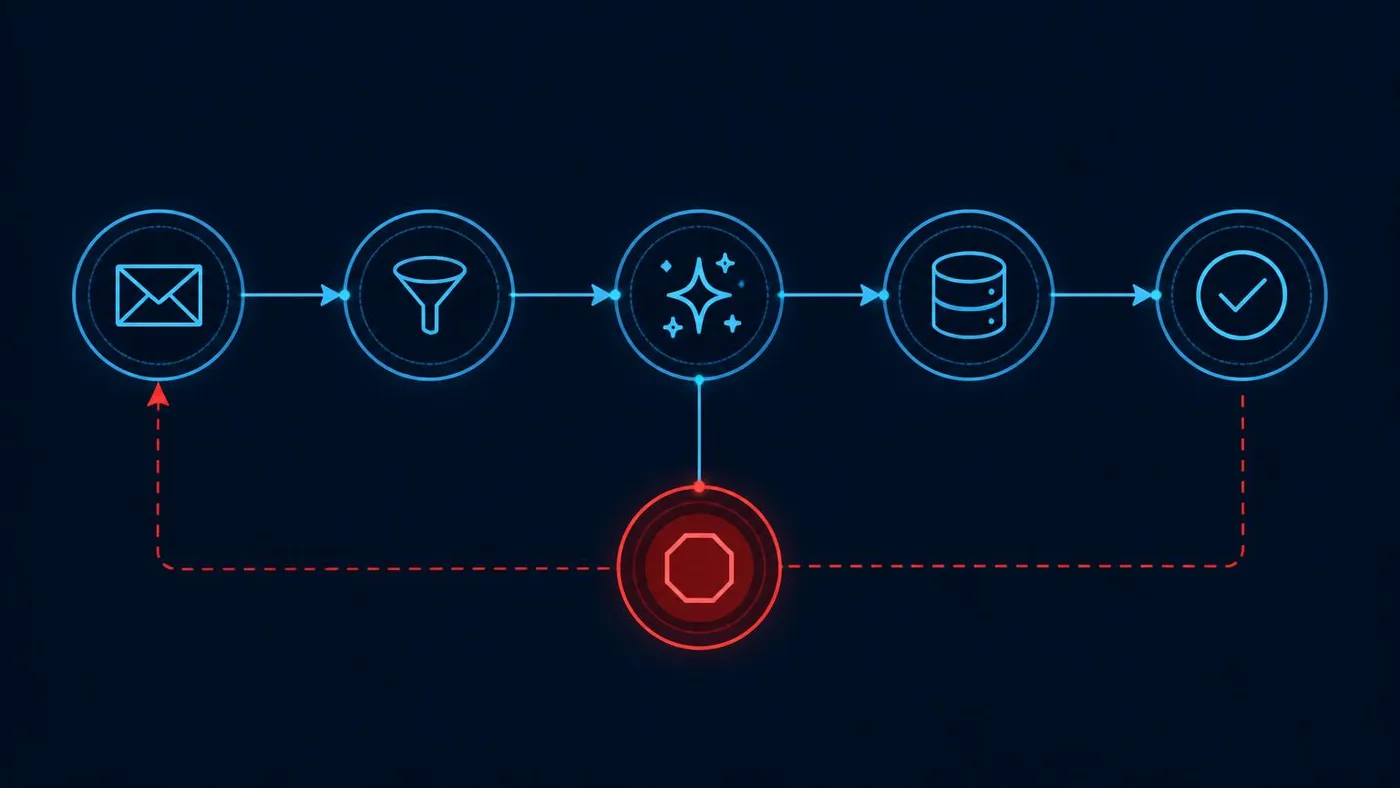
How to stop a bad automation before it becomes an expensive one
An automation that is wrong is not the problem. An automation that is wrong two hundred times before anyone notices is the problem. These controls are ordinary settings on mainstream platforms, not engineering projects.
- Rate limits. Cap runs per hour and per day. If a form is spammed or a mailbox loops, the cap is what stands between you and a bill.
- Spending limits on model usage. Set a hard monthly ceiling with alerts well below it, since token cost scales with volume and prompt size.
- Retry limits. Retry twice, then stop and park the item. Endless retries turn one broken connection into thousands of failed runs.
- Duplicate prevention. Key each run to a stable identifier — submission, message or meeting — so a repeat updates the same record instead of creating a second one. This is the idempotency idea payment APIs formalised: repeating a request with the same key must not perform the action twice.
- Validation before write actions. Check required fields, formats and that the matched account exists before anything is created, sent or changed.
- Approval before irreversible actions. External publication, sensitive customer communication, deletions, permission changes and money movement.
- An error queue someone owns. Failures go to one visible list with a named owner and a daily glance, not to a log nobody opens. Zapier documents replaying failed runs and configuring custom error handling; n8n documents dedicated error workflows; Microsoft documents run-after settings so a flow can react to a failed, skipped or timed-out action.
- Logging you can audit. Keep what triggered each run, what the model returned, who approved, and what was written. Without this you cannot investigate a complaint.
- A written rollback procedure. Tag everything the workflow creates so a bad batch can be found and reversed, and write the reversal steps down before go-live.
- A manual fallback. The old path must still work on the day you switch the automation off.
- A kill switch. One named person, one place, under a minute, no vendor support ticket. Test it during the pilot.
These map onto the functions of the NIST AI Risk Management Framework — govern, map, measure and manage — which is worth reading if you want a vocabulary for AI risk that your auditor or your largest customer will recognise.
What AI should not control by itself
Model output is a probabilistic best effort. A classification can be wrong, a summary can omit the one detail that mattered, and an extraction can invent a plausible date that appears nowhere in the source. Prompting, grounding in retrieved records and constrained outputs all reduce this. None of them eliminate it, and any vendor or article claiming that hallucination has been solved is overselling.
The practical consequence is a short list of actions that must never depend on a model’s judgement alone: deleting or merging important records, moving money or issuing credits, changing permissions or access, publishing external claims about your product, making regulated determinations that require a qualified professional, and any irreversible action affecting a customer. For each of these, put a deterministic validation in front of it, a human approval on it, or both.
A useful design test: if this step is wrong and nobody notices for a week, what does it cost? Cheap and reversible — let it run. Expensive or irreversible — gate it, permanently, even after the model has looked reliable for months.
Limitations of this guide
- The Fit Test, the Design Canvas and the 14-Day Pilot are Atlas editorial frameworks. They are not independently validated instruments and produce no score.
- The blueprints and scenarios are illustrative designs, not deployments. No customer outcome, saving or accuracy figure is claimed from them.
- Pricing and metering were read from official pages in September 2026 and change frequently. Verify current figures before you commit, and treat plan allowances as the thing most likely to have moved.
- Make’s pricing and help pages were not readable to us at the time of writing, so this guide deliberately quotes no Make price. That is a limitation of our verification, not a judgement of the product.
- Model prices are quoted per million tokens for named models on a page that lists many; your effective cost depends on prompt size, output length and model choice.
- Nothing here is legal or compliance advice. If your workflow touches regulated data, take proper advice on your specific obligations.
Sources
- Zapier pricing — Free plan at $0 with 100 tasks per month, Professional from $19.99 per month, Team from $69 per month.
- Zapier task rates — how executions count towards plan quotas.
- Zapier help: model-based pricing for AI by Zapier — AI steps are priced by model tier and consume more tasks per run.
- Zapier help: how Agents usage is measured — usage measured by agent activities and capped by plan.
- Zapier help: replay Zap runs — re-running failed runs after a fix.
- Zapier help: set up custom error handling — routing failures deliberately rather than losing them.
- Microsoft Power Automate pricing — $15.00 per user per month, and $150.00 and $215.00 per bot per month, paid yearly.
- Microsoft Learn: Power Automate licensing deep dive — a Process licence can be allocated to a machine or to a cloud flow.
- Microsoft Learn: employ robust error handling — run-after settings for failed, timed-out or skipped actions.
- Microsoft Learn: get started with Power Automate approvals — approvals as a built-in workflow action.
- n8n pricing — Starter, Pro and Enterprise tiers with monthly execution allowances such as 2,300 and up to 13,700.
- n8n docs: understand executions — an execution is a single run of a workflow.
- n8n docs: community edition — self-hosted edition and its terms.
- n8n docs: handle errors gracefully — error workflows and failure branches.
- OpenAI API pricing — gpt-4o at $2.50 input and $10.00 output per million tokens, gpt-4.1 at $2.00 and $8.00, plus the batch option for non-urgent work.
- NIST AI Risk Management Framework — voluntary framework for managing risks in AI systems.
- NIST AI RMF Playbook — suggested actions organised under govern, map, measure and manage.
- Stripe API: idempotent requests — repeating a request with the same key must not perform the action twice.